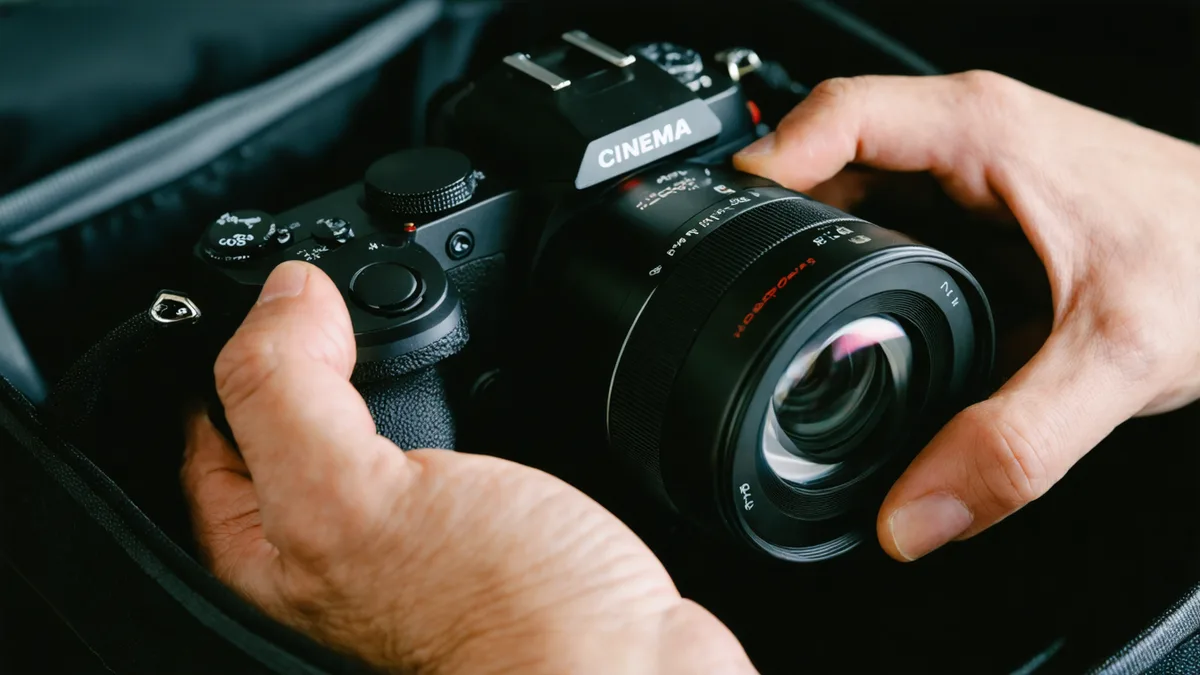
In a peer-to-peer rental, the handoff is the most important moment in the booking. It's where conditions get established, existing wear gets documented, and both sides walk away knowing exactly what state the gear is in. Skipping or rushing the inspection because you're excited to start shooting is how a pre-existing scratch on a lens element becomes your problem on return day.
This guide covers what to check, how to check it, and what to do if something isn't right — whether you're collecting from a lender's studio in Vesterbro or accepting a drop-off at your location. Most of it takes ten minutes. All of it is worth doing.
Before you open a single case: read the listing notes again
Good Wedio lenders write detailed listing descriptions that include known wear, accessories included, and any quirks about the gear. Read that listing one more time before the handoff — not when you booked it three days ago. If the listing says "light scuff on top plate, documented in photos," you want that expectation set before you start cross-referencing physical condition with photos.
If the lender mentioned anything non-standard in pre-booking messages — a firmware version they prefer to leave installed, a CFexpress card that runs warm, a follow focus with a stripped gear — get that information in writing via the Wedio message thread before you accept the gear. It costs nothing to ask and protects both parties.
Camera bodies: sensor, mount, and power
Camera inspection has a sequence. Start from the inside out.
Sensor and sensor gate: With the lens off and the body cap removed, shine a small LED torch at an angle across the sensor (without touching it). You're looking for dust, marks, or debris. One or two specks of dust are common and manageable — they show up as soft spots in the image, usually only visible on stopped-down apertures. A scratch or smear that wasn't mentioned in the listing is a different category and needs to be photographed and messaged to the lender immediately, before you leave.
Lens mount: Inspect the mount contacts and locking mechanism. PL mounts can develop loose tolerances over heavy use; EF and LPL mounts can have worn contact pins that cause intermittent power or data drops. Rotate a lens in the mount and check that it seats cleanly and locks with a positive click. If there's lateral play when the lens is locked, document it.
Battery and power: Test every battery included in the rental. Mount each one, power the camera on, check the reported charge level. A battery showing 100% that drops to 60% within five minutes under load is a degraded cell that will fail mid-shoot. On cameras that report battery health (ARRI bodies do this in the diagnostics menu), check the health percentage. A wedding DP we know once lost a full afternoon shoot because a V-lock battery in a rental kit read 80% at pickup but had internal cell damage — it died in under 20 minutes under a real recording load.
Lenses: glass, focus, and iris
Lens inspection takes the longest because glass defects can be subtle and their impact on image quality is not always obvious until you're in post.
Front and rear elements: Hold the lens up to a bright window or light source and look through it at an angle. You're looking for fungus (appears as fine web-like marks, often in circular patterns), separation between cemented elements (appears as an iridescent shimmer at the edge of the glass), and deep scratches versus the superficial coating marks that show up as fine surface abrasion under light. Minor coating wear on a front element affects flare characteristics minimally. Fungus or delamination affects contrast across the entire image and needs to be documented immediately if it wasn't in the listing.
Focus and aperture rings: Rotate the focus ring through its full range. It should move smoothly with even resistance throughout. Grinding, notchy stiff spots, or suddenly free-spinning areas indicate internal damage that may affect focus marks and repeatability on your shoot. On a cine lens, also check that the iris ring or aperture control clicks or moves consistently — uneven iris action can cause flickering in slow exposure ramps.
Mount-to-body test: Mount the lens, fire a few test shots, play them back and zoom in on the playback. You're checking: is the image sharp, is the autofocus (if applicable) locking, are there any flicker, banding, or electronic communication errors on the display. A lens that looks fine optically can have damaged mount contacts that cause erratic aperture behaviour on certain bodies.
Lighting: heads, cables, and mains safety
Lighting inspections get underestimated because a light that powers on seems like a light that works. Not always.
Power on every head: Each light in the rental should be powered on and allowed to reach operating temperature (at least two minutes for LED heads, longer for HMIs). Check that the output is consistent — no flickering, no unexpected colour shift as it warms up. On LED panels, enable maximum brightness and look for dead zones or individual LED clusters that aren't firing. A single dead LED cluster on a large panel is cosmetic; half the panel dead is a functional failure.
Cables and connectors: Inspect every power cable and extension. Look for cuts in the insulation, bent or corroded pins on Schuko or IEC connectors, and strain relief damage where the cable enters the connector body. In Denmark, mains power is 230V — a damaged cable is a genuine safety risk, not just a gear quality issue. If a cable looks questionable, don't use it and note it in the return inspection.
Barn doors, softboxes, and modifiers: Physical modifiers take the most wear in a rental kit. Check that barn doors are seated correctly and hinge smoothly. If a softbox is included, check the internal diffusion panel for tears and the speed ring mount for cracks. Modifiers that look fine packed away can be structurally compromised in ways that become obvious when you're trying to rig them under load at 6am on a shoot day.
Document everything before you accept
The documentation step is where most renters skip in the interest of getting going. Don't. It takes four minutes and is the only evidence that protects you if a dispute arises.
Use your phone to photograph: the overall kit as packed, any existing wear marks on individual items, the battery levels on all batteries, and the serial numbers of the main items (camera body, lenses). Send those photos to the lender via the Wedio message thread with a note: "Collected — condition as photographed." The lender sees the message, the timestamp is on the platform, and both of you have a clean reference point.
If you find something at handoff that wasn't in the listing — a scratch, a missing accessory, a piece of damage — raise it immediately, before you take the gear. One Wedio lender told us they'd had a renter notice a scuffed lens cap at return and flag it as new damage, despite it being visible in the original listing photos. A message at pickup time saying "noticed the lens cap has existing wear, that matches the listing photo" closes that loop before it can become an argument.
When something isn't right
If you inspect the gear and find a problem that wasn't disclosed — functional damage, missing accessories that were listed as included, or safety concerns with electrical equipment — you have a right to not accept the rental. Contact Wedio support through the platform, document the issue in the message thread, and do not take the gear until the issue is resolved or the booking is adjusted.
This is not a reflection on the lender's character — most gear owners on Wedio are working filmmakers who take care of their equipment. But gear gets used, conditions get missed, and a thorough handoff inspection is simply good practice on both sides. The renters who never have disputes are, almost universally, the ones who take ten minutes at pickup and document what they find.