Audio on an independent video shoot goes wrong in two distinct ways. The first is technical failure — a clipped signal, a loose connector, a recorder that was never set to 48kHz. The second is placement failure — a microphone positioned where it can't do its job regardless of how expensive it is. Both are fixable. But placement failures are the ones that happen most consistently to people who know how to use equipment but haven't thought carefully about where to put it.
This guide is specifically for shoots without a dedicated sound mixer — one or two-person crews where the camera operator is also watching audio, or where a second person is handling the boom but doesn't have sound training. It's not a professional audio course. It's a practical set of decisions that produce clean, usable dialogue on location without a five-person audio department.
The microphone types you'll be working with
Most small-crew video shoots use some combination of three microphone types:
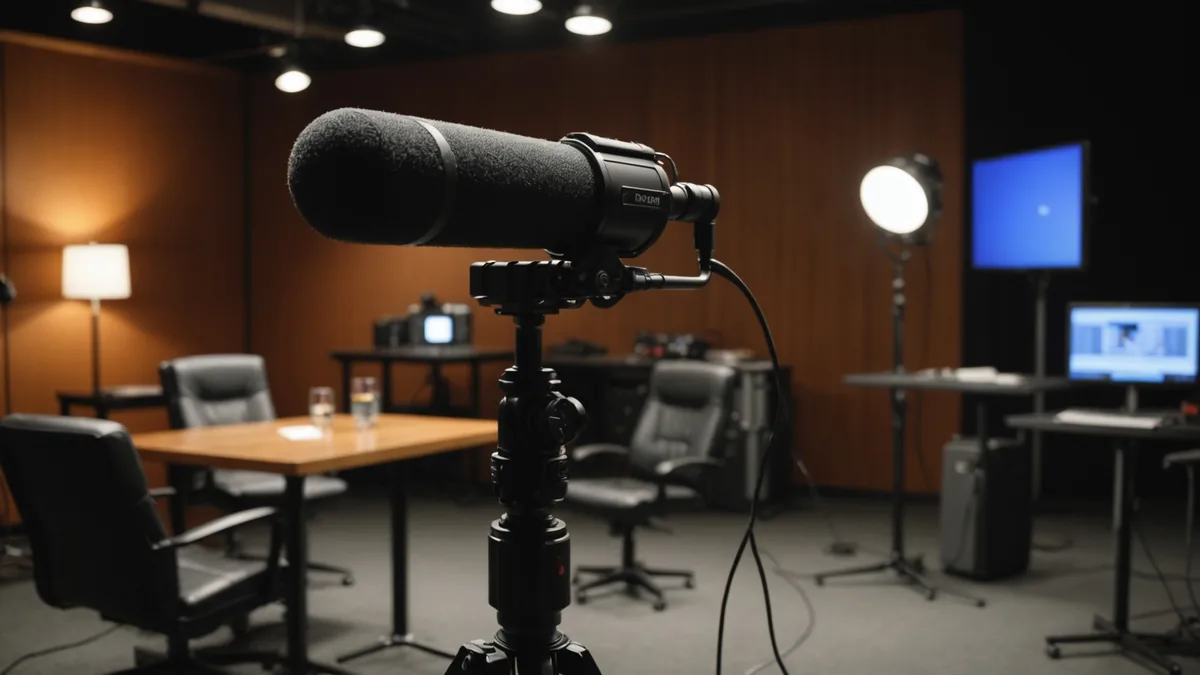
Shotgun microphones (hypercardioid or supercardioid polar pattern) reject sound from the sides and rear while capturing the source they're aimed at. They work well when positioned close to the subject and aimed directly at the sound source. They do not work well at large distances — the common misconception that a shotgun microphone is a "zoom lens for sound" is wrong. Effective range for an indoor interview is roughly 60–80cm overhead, depending on room acoustics.
Lavalier microphones (small omnidirectional or cardioid capsules) are placed on or near the subject's chest. Because they're close to the sound source by design, they provide excellent direct signal even in acoustically difficult environments. The trade-offs: handling noise from clothing contact, susceptibility to wind when used outdoors, and clothing rustle if placement is wrong.
On-camera microphones are the most accessible option and the most limited. Mounted to the camera's hot shoe or cage, they're capturing sound from the camera operator's position — which is rarely the optimal position for audio. On-camera mics are useful for documentary-style single-camera work where a separate audio source isn't practical, and for ambient sound as a backup channel. They're not a primary audio solution for interviews or staged dialogue.
Boom microphone placement: the key variables
A boom-mounted shotgun microphone positioned correctly is the gold standard for location dialogue. The reason it works: the microphone is always at optimal distance from the subject, always aimed correctly, and can follow subject movement. The reason it often doesn't work on small crews: nobody is trained to hold a boom properly for a 45-minute interview, and small-crew shoots often don't have a spare person for dedicated boom operation.
When you have a boom operator, or when you're doing it yourself between setups:
Position the microphone above the subject, aimed down at the mouth. Standard position is 20–30cm above the top of the subject's head, angled down at roughly 45 degrees toward the lips. This places the microphone within the voice's primary projection path — most vocal projection is horizontal and slightly downward. At this distance, a microphone like the Rode NTG3 or Sennheiser MKH 416 produces a clean, natural recording with good room-to-voice ratio.
Why overhead is preferred to below-mouth. A microphone positioned below the subject and aimed up (a technique sometimes used when overhead frame space is limited) picks up chest resonance and mouth sounds differently than overhead positioning. The voice sounds thicker and less natural. Below-mouth positioning is a practical workaround when the camera frame cuts off overhead space; it's not a preferred choice.
Keep the null point aimed at reflective surfaces. The hypercardioid and supercardioid patterns used in shotgun microphones have significant rejection at 90 degrees and at the rear. In a reverberant room, aim the front at the subject and the rear null at the most reflective surface — usually a hard wall or window directly behind the microphone operator.
Acoustic environments matter more than microphone quality above a certain threshold. A Rode NTG5 in a bathroom with hard tile walls will produce worse audio than a cheaper Rode VideoMic Pro+ in a furnished, carpeted room. If you have any choice about location on an indoor shoot, prefer rooms with soft furnishings and irregular surfaces. Libraries, furnished living rooms, and production offices with acoustic treatment are all significantly better than kitchens, bathrooms, and empty rooms with hard floors.
Lavalier placement: where most people go wrong
The Rode Lavalier II, Sennheiser ME2, DPA d:screet, and equivalent capsules all produce good results when correctly placed. "Correctly placed" has a specific meaning that isn't obvious from the way most people first try to use them:
Optimal placement is at the sternum, not at the collar. A lavalier placed high at the collar is close to the chin — which seems like it should sound clearer — but it's actually too close to the mouth for consistent recording and picks up plosives and consonants disproportionately. Placement at the sternum, behind a shirt button or under a tie, produces a more natural tone with more consistent level as the subject moves their head.
Avoid fabric that moves. Any lavalier hidden under or touching fabric that moves when the subject speaks or gestures will produce handling noise that's impossible to remove in post. For shirt or jacket placement, use a small loop of microphone cable under the garment to create a stress-relief point between the clip and the cable run. This absorbs cable movement before it reaches the capsule.
Treat the cable before it reaches the recorder. A lavalier cable running loose down a subject's back will pick up electrical interference from other sources on set — phone transmitters, LED driver noise, camera electronics. Run the cable against the body with tape or clothing to create isolation.
Outdoors: wind is your primary problem. A Rycote or Bubblebee lavalier cover is not optional for outdoor recording. Without it, any wind above a gentle breeze will produce noise that masks the voice entirely. The deadcat covers designed specifically for lavaliers are small enough to hide under an open collar or just inside a jacket lapel while still providing effective wind protection.
Setting recorder levels: the most commonly skipped step
Regardless of microphone quality and placement, a poorly set recording level will ruin the audio. This is also the most mechanical step in the process — there's no ambiguity about correct level, and getting it wrong is entirely preventable.
Two rules that apply to any recorder — a Zoom F6, a Sound Devices MixPre-3, or a camera's built-in preamps:
Peak levels for speech should sit between -18dBFS and -12dBFS during normal conversation, with occasional peaks to -6dBFS. These numbers apply to 24-bit recording. If you're recording at 16-bit (which you generally shouldn't be for location sound), the headroom is narrower and levels should sit slightly lower. The specific reason to avoid clipping: digital clipping — hard distortion at 0dBFS — is not recoverable in post. Analogue-style saturation from a slightly hot input is repairable; digital clipping is not. When in doubt, go 6dB lower than you think you need to.
Test levels with the actual subject, at the actual shooting location, before recording begins. Have the subject speak at the loudest they'll be on camera — if they're being interviewed about something emotionally significant and might raise their voice, test at that volume. The enthusiastic explanation that happens in take one often clips the recording set up from a quiet test conversation at the start of the session.
Dual-system audio and camera audio: using both
For most small-crew shoots, recording audio dual-system — on a separate recorder like a Zoom F6 or Sound Devices MixPre-3 — gives you better preamps, more inputs, and more flexibility than relying on camera audio. The trade-off is sync work in post, which is straightforward with a slate or a clapboard clap at the start of each take.
Camera audio as a backup track is valuable even when dual-system is primary. Record to the camera's inputs from the same sources (via a small feed from the recorder), and use it as a sync reference and emergency backup. The camera audio won't be your primary deliverable, but it saves a sync session if your external recorder develops an issue mid-shoot.
We're not saying dual-system is necessary for every shoot — for run-and-gun solo documentary work where you're also operating camera, managing an external recorder is a real additional overhead. But for any shoot where you have even one other crew member who can monitor audio, a dedicated recorder gives you better results with less risk than camera audio alone.
A quick placement reference for common scenarios
- Formal interview, controlled environment: Overhead boom at 60–80cm, angled down at 45 degrees. Lavalier backup on sternum. Both running to separate tracks.
- Documentary interview, subject moving: Lavalier primary, boom when subject is stationary. Lavalier levels set conservatively (-18dBFS nominal) to handle unexpected loudness.
- Outdoor vox-pops or street interviews: Camera-top NTG5 or VideoMic Pro+ with windshield, held at comfortable camera distance. Lavalier optional if you can hide the cable.
- Multi-subject conversation: Two lavaliers, each to a separate track. No boom unless you have a dedicated boom operator — boom work for multi-subject conversation solo is not practical.
- Narration or presenting to camera: Lavalier almost always preferred over boom — consistent level regardless of subject movement, no risk of boom dipping into frame.
If you're renting audio gear through Wedio and want to know how a specific microphone handles a particular recording environment, the listing notes and condition reports often include practical use information from the owner. It's worth reading before you pick up — particularly for microphones where the user has experience with them in specific conditions.